
Open a job
Staff create a new job card — often while the customer is at the counter. The system assigns a clear job number for tracking.

Job Card Manager helps shops and service teams track jobs from the moment a customer drops off work until they pay and leave. One job card holds the customer, the work, parts and labour, photos, status, and the final bill.
Request a DemoView Features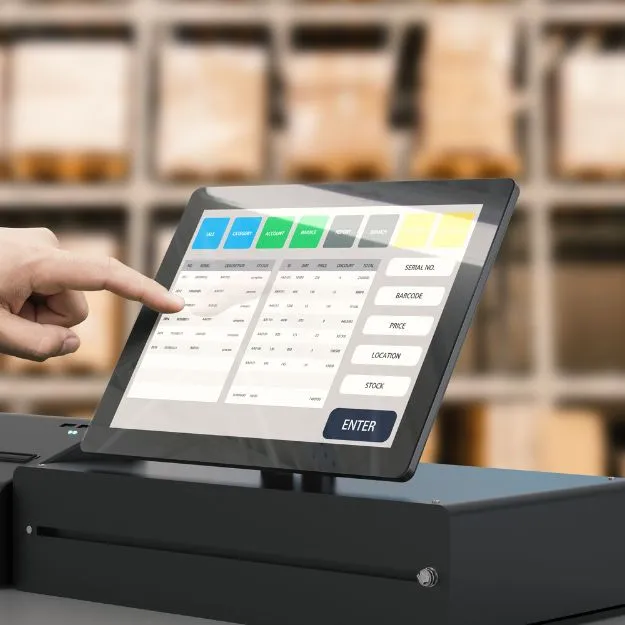
A job card is a single record for one piece of work: who it is for, what needs doing, parts and labour, photos, status, and the final bill. Staff see every open job in one place instead of juggling paper, chat threads, or memory.
Counter and workshop teams share the same job number from estimate through completion. When work is done, billing flows through your POS screen so stock updates and invoicing stay tied to the job that drove the work.
The Problem It Solves
| Without job cards | With Job Card Manager |
|---|---|
| Jobs on paper, WhatsApp, or memory | Every job in one list with a clear status |
| Unclear what is waiting, in progress, or ready to bill | Dashboard-style worklists with counts |
| Stock taken too early or forgotten on the bill | Work is estimated on the job; parts stock updates when you invoice |
| No proof of condition or work done | Photos attached to the job |
| Hard to see overdue work or uninvoiced revenue | Reports for managers and owners |
How a Typical Job Flows
A straightforward path from the counter to the workshop and back to billing — with room to start from POS when that fits your counter better.
Staff create a new job card — often while the customer is at the counter. The system assigns a clear job number for tracking.
Customer, short job title, optional reference (order no., plate, serial no.), assigned technician, and scheduled date.
Add parts from your product list, standard services, or custom lines (labour, call-out, installation, diagnosis). Estimated total includes tax where applicable.
Mark in progress. Add photos (damage, before/after, completed work) and notes — internal or printable for the customer.
Mark complete when the work is done and the job is ready for billing.
Create the invoice from POS on a completed job. The job links to that invoice and status becomes invoiced, with estimate vs final bill visible on the record.
Staff can build the cart on the POS first and save it as a job card instead of charging immediately — useful when the job is not finished yet.
Core capabilities that keep jobs moving — from the first estimate to the linked invoice.
See waiting, in progress, completed, and invoiced jobs with counts so counter and workshop know what needs attention next.
Line-item parts, services, and custom labour with estimated totals and tax — the baseline before you invoice.
Attach condition and completion photos plus internal or customer-facing notes for accountability and fewer disputes.
Assign who will do the work and when it is scheduled so handoffs between counter and floor stay clear.
Bill from a completed job in POS; stock updates on invoice and the job record keeps the link to the final bill.
Visibility into overdue jobs, work in progress, and uninvoiced revenue for better cash flow decisions.
Every piece of work lives in one list with a status — not on scraps of paper or buried in messages.
Shared job numbers, assignments, and notes mean less repeating the same story at the bench.
Completed jobs surface for invoicing so customers are not kept waiting at pickup.
See uninvoiced work and work in progress so owners know what revenue is still on the floor.
Photos, assignments, and job history support quality control and customer trust.
Direct answers for investors evaluating CRM software. Need a tailored walkthrough? Contact our team.
A job card is one record for a single piece of work. It holds the customer, job description, parts and labour lines, photos, status, assignments, and the link to the final invoice when billed.
It suits auto workshops, phone and computer repair, appliance service, installation and field service teams, and retail stores with in-store repair counters — any business that completes work before taking payment.
When a job is marked complete, staff create the invoice from the POS screen. The job links to that invoice and status becomes invoiced. Stock for parts typically updates when you invoice, aligned with the estimate built on the job.
Yes. Staff can build the cart on POS and save it as a job card without charging immediately — helpful when work is still in progress.
Job Card Manager focuses on job tracking, estimates, photos, status worklists, POS billing, and reports. For full workshop platforms with check-in, online estimate approval, accounting, and marketing, see our Service Station / Garage Management Software.
Contact C Soft Lanka Technologies through our contact page or call (+94) 77 143 1054. Share your business type and how you track jobs today, and we will recommend the right setup.
Request a demo to see job cards, estimates, photos, POS billing, and manager reports in one flow.