
Save time at the front desk
Book appointments in a few clicks from the live schedule board.

CS Channelling — Doctor Scheduling Software
Manage doctor sessions, patient appointments, queue numbers, payments, and reports — all from one easy-to-use system.
Running a medical channel center means juggling doctor schedules, patient queues, payments, and daily reports — often across multiple branches and consultation rooms. CS Channelling brings everything together in one place.
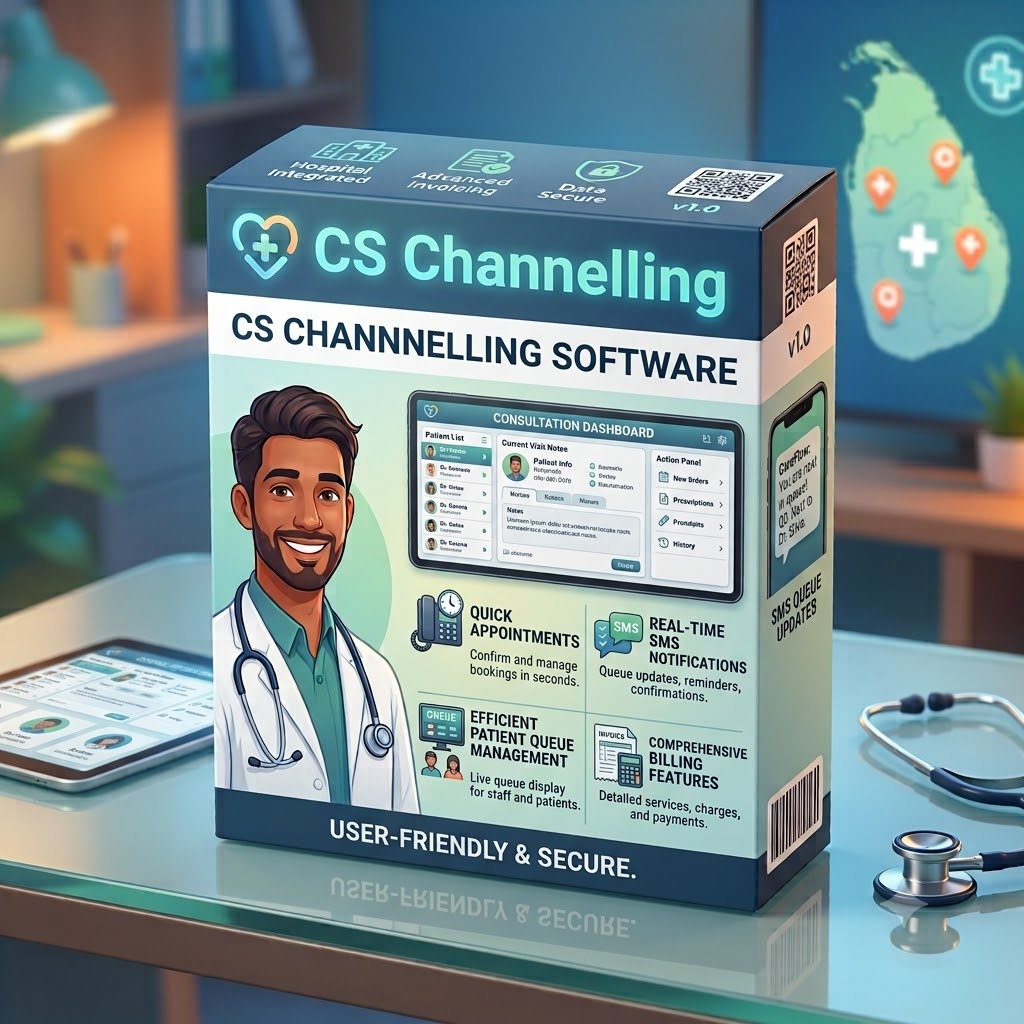
Designed for front-desk staff, administrators, and clinic managers, the software helps you schedule doctor sessions, register patients in seconds, track queue numbers, collect payments, and keep patients informed with automatic SMS updates.
Whether you operate a single clinic or a multi-location hospital, CS Channelling helps your team work faster, reduce errors, and deliver a better experience for patients and doctors alike.
Key Benefits
Book appointments in a few clicks from the live schedule board.
Automatic SMS for bookings, reminders, and session updates.
Clear queue numbers, room assignments, and session statuses for every doctor.
Built-in billing with doctor and hospital charges, discounts, and payment tracking.
Daily schedules, appointment lists, and revenue reports at your fingertips.
Support for multiple branches, doctors, and consultation rooms.
Feature Highlights
Plan doctor sessions by date, time, and room.
Auto queue numbers for every patient.
Booking, reminder, and session notifications.
Doctor + hospital charges with receipt printing.
Daily and session-wise financial summaries.
One system for all your locations.
Organize consultation rooms by floor.
Secure, permission-controlled user accounts.
Detailed Features
Nine integrated modules covering scheduling, queues, billing, SMS, reporting, and administration for medical channel centers.
See today’s doctor sessions, statuses, and room assignments at a glance.
Track appointments booked, patients seen, and revenue totals for the current day.
Jump to booking, billing, or schedule management from one operational dashboard.
Schedule doctor sessions by date, time slot, and consultation room.
Configure doctor charges and hospital fees per session or consultant.
Mark sessions as scheduled, started, completed, or cancelled with clear visibility.
Register patients in seconds from the live schedule board.
Assign queue numbers automatically for every booked appointment.
Digital appointment list with search, filters, and session-wise views.
Organize consultation rooms by floor, wing, or branch.
Assign rooms to doctor sessions so front desk staff always know where to send patients.
View room usage across concurrent sessions and busy periods.
Create invoices with doctor and hospital charges, discounts, and payment methods on one screen.
Print professional receipts immediately after payment.
Record partial or full payments and track outstanding balances per appointment.
Send automatic SMS when appointments are registered.
Remind patients before consultation sessions to reduce no-shows.
Notify patients when doctors arrive, sessions start, or consultations end.
Review appointments and session activity by date and doctor.
Session-wise and daily financial reports with doctor and hospital fee breakdowns.
Export reports for management review and accounting handoff.
Manage schedules, doctors, and rooms across branches from one system.
Compare appointment volumes and revenue by location.
Maintain consistent patient registration across your healthcare group.
Permission-controlled accounts for front desk, billing, and administrators.
Login, logout, and password management for staff accounts.
Control who can book, bill, edit schedules, and view financial reports.
Who Is It For
Running specialist doctor channeling services with daily consultant sessions.
Managing multiple consultants and high patient volumes per day.
Scheduled consultation sessions with organized front-desk operations.
Shared front-desk, billing, and scheduling across practice partners.
Multi-branch organizations needing centralized scheduling and reporting.
Why Choose CS Channelling
| Challenge | How CS Channelling Helps |
|---|---|
| Long queues and confusion at reception | Clear queue numbers and live session boards |
| Patients calling to ask “Has the doctor arrived?” | Automatic SMS when sessions start and end |
| Manual appointment books and lost records | Digital appointment register with search and filters |
| Difficulty tracking doctor payments | Session-wise revenue reports and fee breakdowns |
| Slow billing at the counter | One-screen invoice creation with instant receipt printing |
| Managing many doctors and rooms | Centralized schedules, rooms, and doctor fee setup |
Product Screens


Direct answers for investors evaluating CRM software. Need a tailored walkthrough? Contact our team.
CS Channelling is doctor scheduling and patient management software built for hospitals, clinics, and medical channel centers. It helps teams schedule doctor sessions, book appointments, manage queue numbers, send SMS notifications, process billing, and generate revenue reports from one system.
It is ideal for private hospitals with specialist channeling services, medical channel centers, polyclinics, specialist clinics, group practices, and healthcare groups operating across multiple branches or locations.
Yes. The software assigns automatic queue numbers for every patient appointment and displays live session boards so front-desk staff can manage patient flow clearly throughout the day.
Yes. CS Channelling sends automatic SMS for booking confirmations, session reminders, and updates when doctor sessions start or end — reducing manual phone calls to reception.
Yes. You can create invoices with doctor and hospital charges, apply discounts, record payments, and print receipts instantly from the same screen used for appointment booking.
Yes. The platform supports multi-branch operations with centralized scheduling, room management, doctor fee setup, and branch-level reporting for healthcare groups.
Yes. Administrators can set permission-controlled user accounts so front-desk, billing, and management staff see only the modules and actions relevant to their role.
Contact C Soft Lanka Technologies through our contact page or call (+94) 77 143 1054. Share your facility type, number of doctors and branches, and current scheduling challenges, and we will arrange a walkthrough.
Request a demo to see scheduling, queue management, SMS alerts, and billing in CS Channelling.